AI-AssistedPhoto Editing
Professional photo editing, without the learning curve.
Just describe your vision.
Feature-Rich Editor
Adjust and apply edits yourself. Creative control stays with you.
Not Another AI Slop Generator
Prompt: "Can you make that red snack bag pop out compared to the background?"
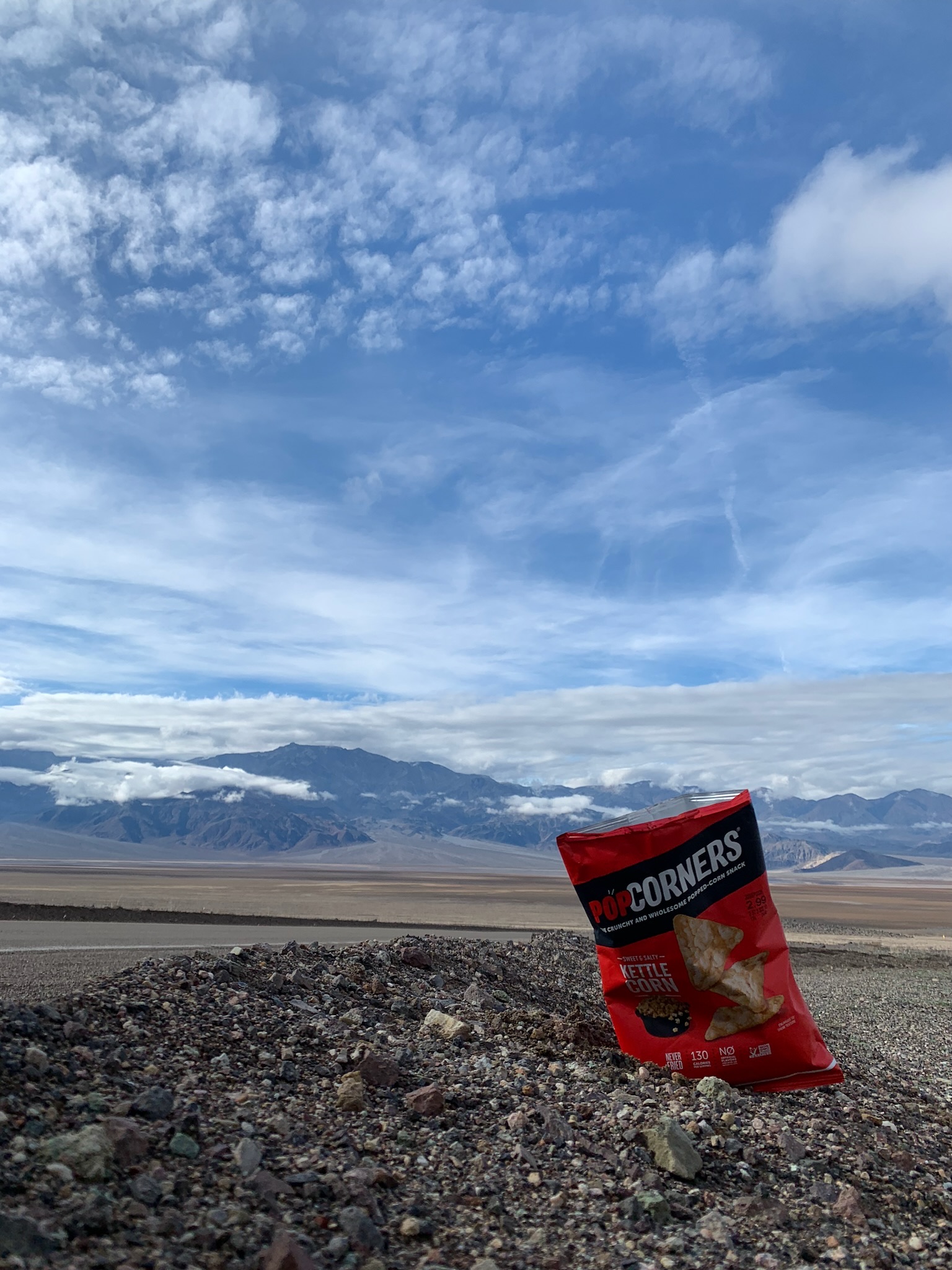
Original unedited picture
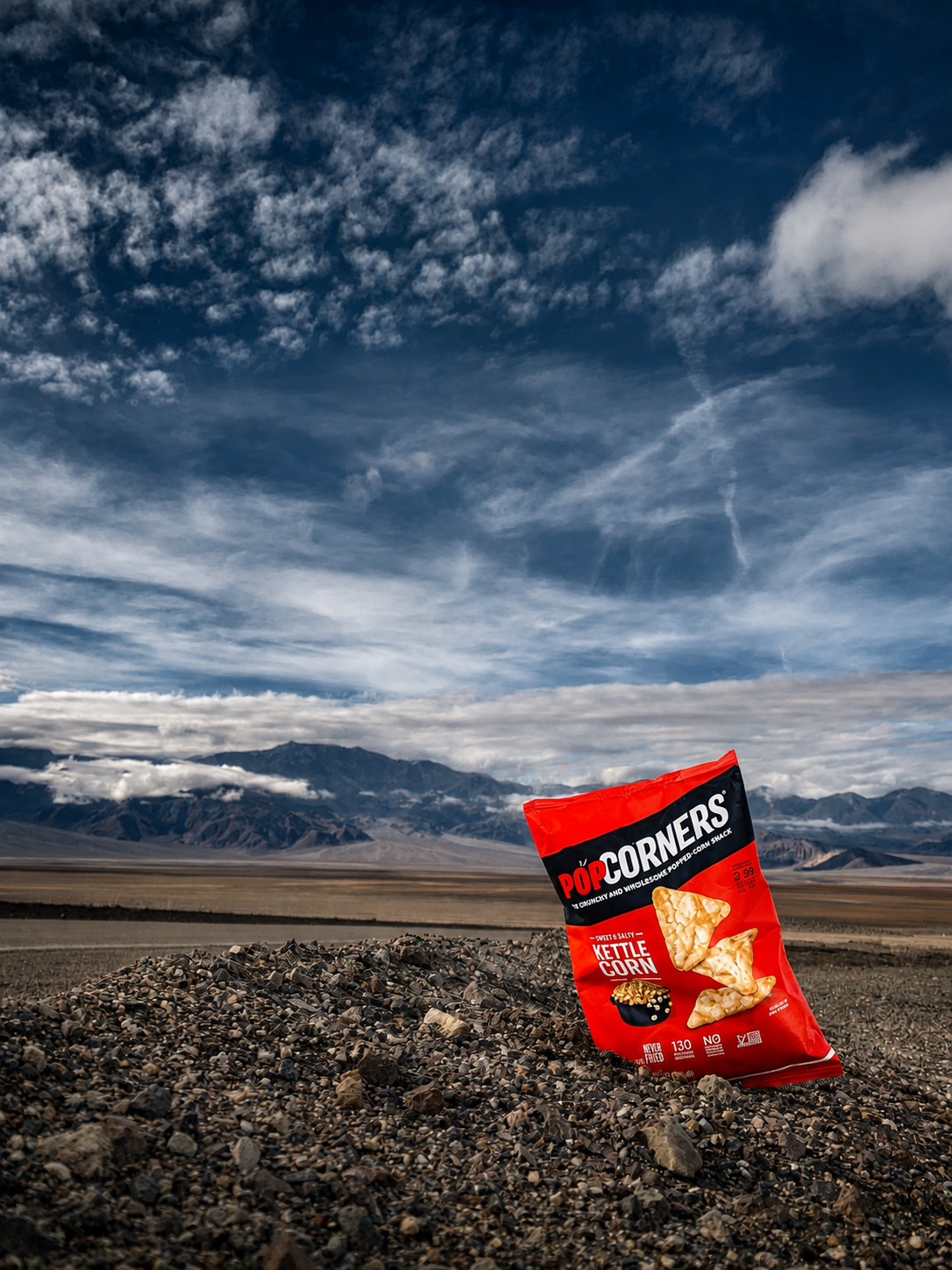
GPT basically made a whole new image. The bag is closed, it changed everything in the background, and zooming in makes the rocks look weird.
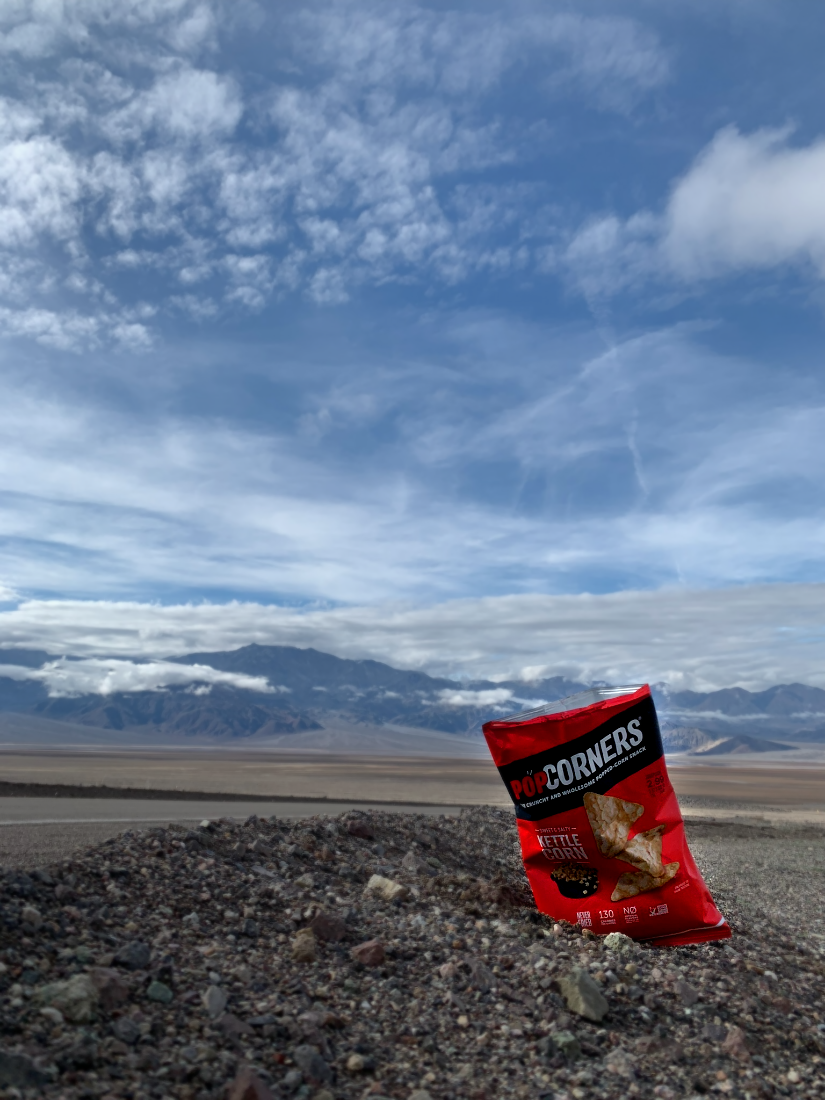
PixlPal applies natural, direct edits. Notice the subtle blurring and emphasis on red. No hallucination.
PixlPal does NOT re-generate images.
It directly edits your original image.
Frequently asked questions
How is PixlPal different from using ChatGPT or Gemini?
ChatGPT and Gemini use models that generate images. This means that if you use them to edit your photo, it won't actually edit it. It regenerates it and introduces elements that didn't exist in your original photo. Meanwhile, PixlPal uses an AI agent that actually edits your original photos directly. It's like sending your photo to a friend who knows Photoshop and asking them 'Hey can you make this look better?'
How does PixlPal edit my photos?
Describe the look you want, and the AI assistant will translate that to adjustments to things like exposure, contrast, color, and blur. It can even apply these adjustments to specific objects in your picture. For example, 'Make my dress more red'
Can I adjust the edits myself?
Yes. PixlPal includes a feature-rich editor you can use to fine-tune results or make direct edits yourself, completely free.