Free
$0
Creative control, always included.
- Free manual editing
- 5 guest messages
- Sign in for 5 additional messages
- No card required
Professional photo editing, made easy.
Just describe your vision then fine-tune the details
until it feels like you.
Adjust and apply edits yourself. Creative control stays with you.
Prompt: "Can you make that red snack bag pop out compared to the background?"
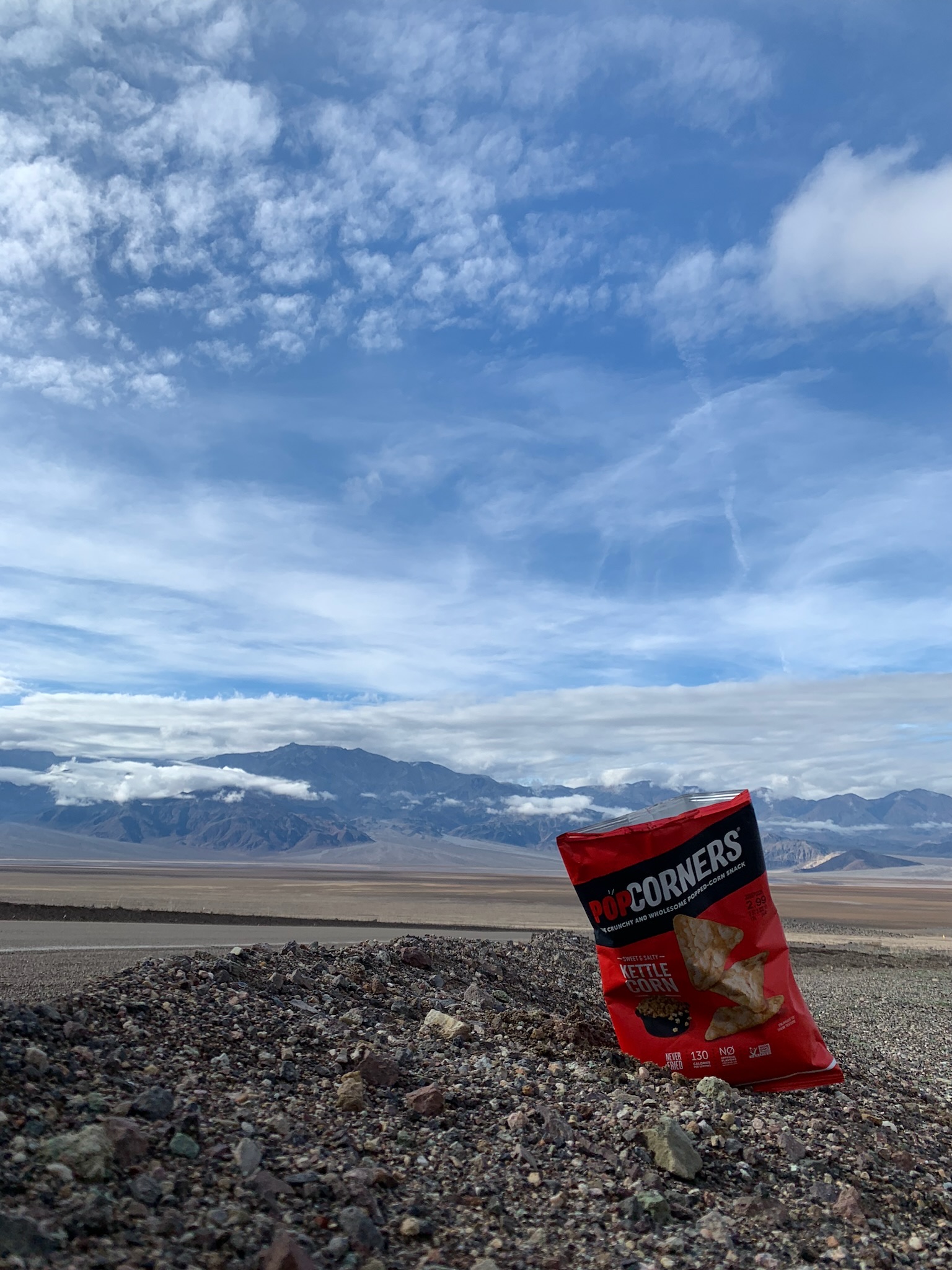
Original unedited picture
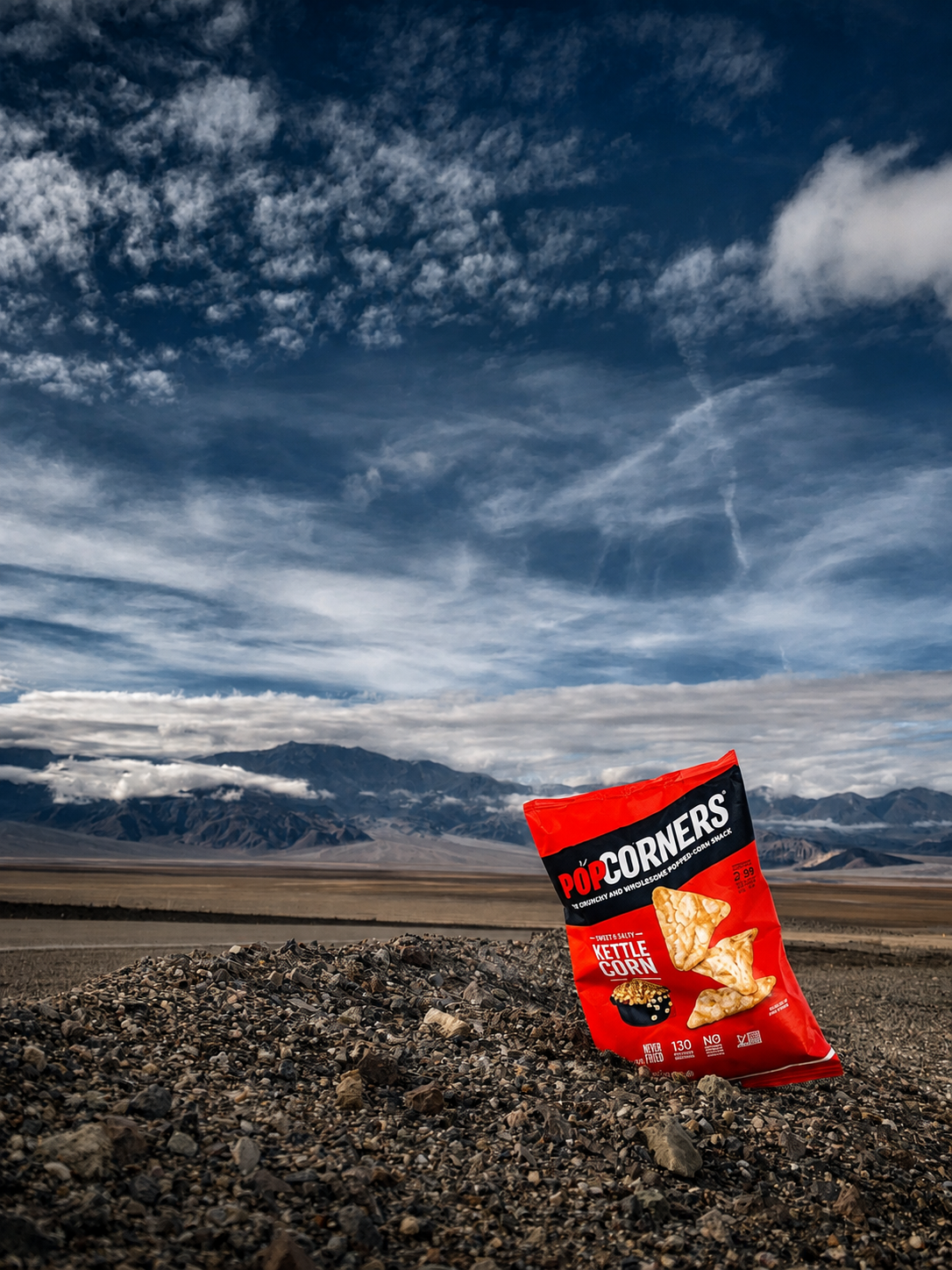
GPT basically made a whole new image. The bag is closed, it changed everything in the background, and zooming in makes the rocks look weird.
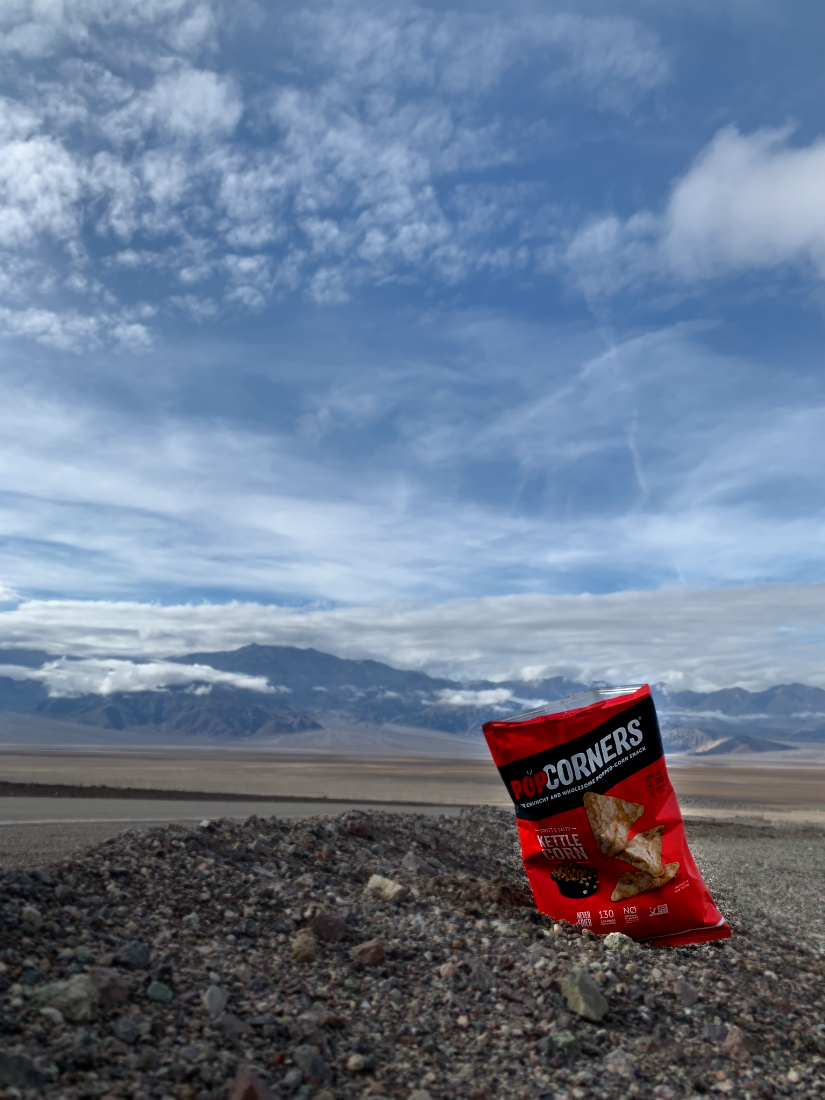
PixlPal applies natural, direct edits. Notice the subtle blurring and emphasis on red. No hallucination.
PixlPal does NOT re-generate images.
It directly edits your original image.
Manual edits are completely free. AI assistant usage can be purchased with a message pack or monthly plan.
$0
Creative control, always included.
$2 once
A little extra help, on your terms.
$4/month
For your next photo. And the next.
Purchases require Google sign-in. Subscribers can buy additional message packs. Prices are in USD. Applicable taxes are shown at checkout.
ChatGPT and Gemini use models that generate images. This means that if you use them to edit your photo, it won't actually edit it. It regenerates it and introduces elements that didn't exist in your original photo. Meanwhile, PixlPal uses an AI agent that actually edits your original photos directly. It's like sending your photo to a friend who knows Photoshop and asking them 'Hey can you make this look better?'
Describe the look you want, and the AI assistant will translate that to adjustments to things like exposure, contrast, color, and blur. It can even apply these adjustments to specific objects in your picture. For example, 'Make my dress more red'
Yes. PixlPal includes a feature-rich editor you can use to fine-tune results or make direct edits yourself, completely free.
Each request you send to the assistant is one message, including follow-ups. Tool calls and automatic suggestions use no extra messages. A request counts after the first usable AI response; initial errors restore your message, while later editing errors or cancellation do not.
Messages purchased in a one-time pack never expire. The monthly subscription includes 50 messages each billing month; unused monthly messages expire at the end of that period and do not roll over. The free trial is a one-time allowance.
The $4 USD subscription renews automatically each billing month. You can cancel through Manage billing at any time, effective at the end of your current paid period. Purchased message packs stay available after cancellation. For refund requests, contact contact@pixlpal.com.
Yes. You can buy 20 additional messages for $2 USD whenever you need them. We use free account messages first, then your current monthly allowance, then purchased messages. Google sign-in is required for purchases, and applicable taxes are shown at checkout.